
Six screens.
That's the whole thing.
Everything below is the live demo shop. A shop's staff learn it in an afternoon because there is nothing to learn: it's the job they already do, with the math and the texting handled.
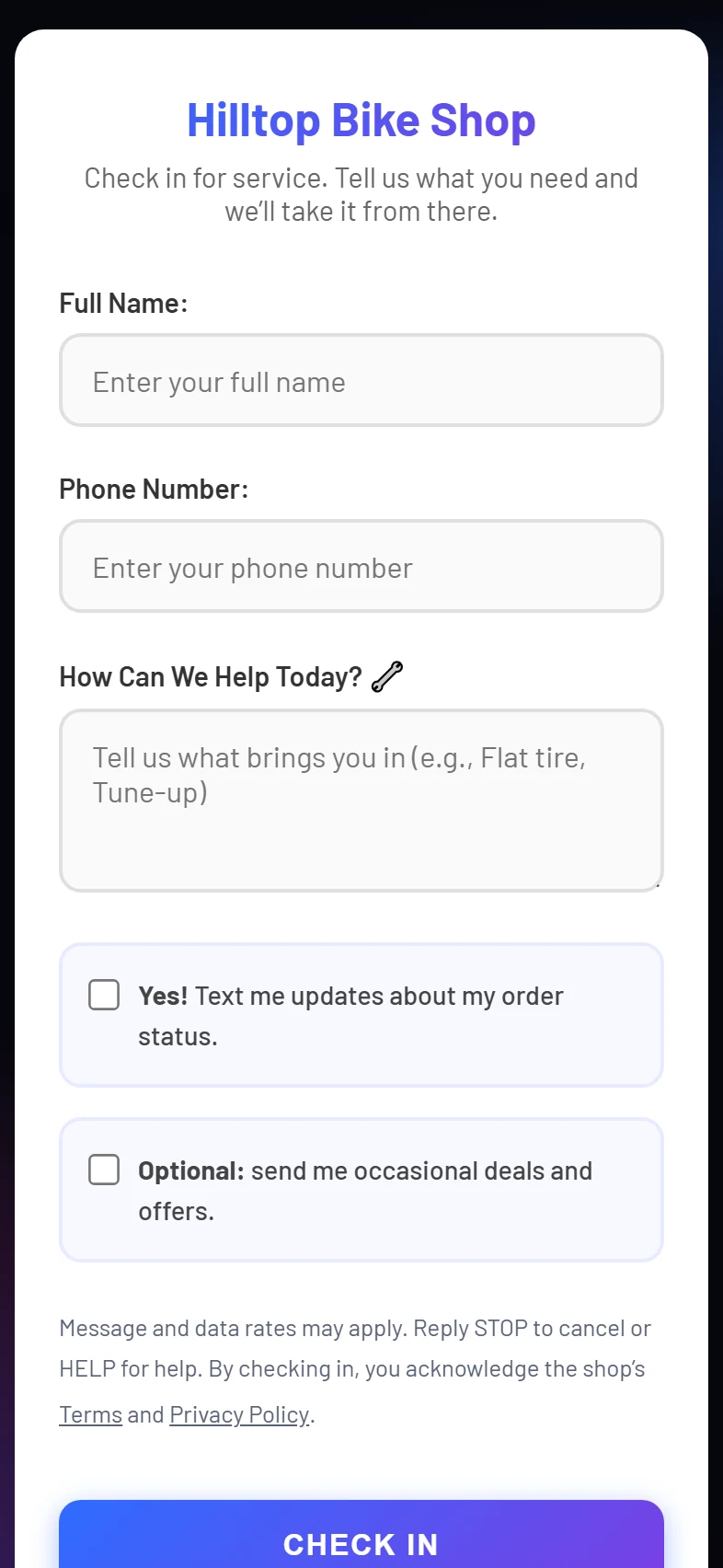
A sign on the counter, a form with your name on it.
The customer scans the QR code (or you hand them the link). Name, phone, what's wrong, and a consent box for texts that is stored with the time it was ticked. Returning customers are matched by phone number, so their history is already there.
- Switch check-in off and staff enter every job at the counter instead
- Marketing texts are a separate, optional box
- Print the sign from Settings; the QR code is made for you
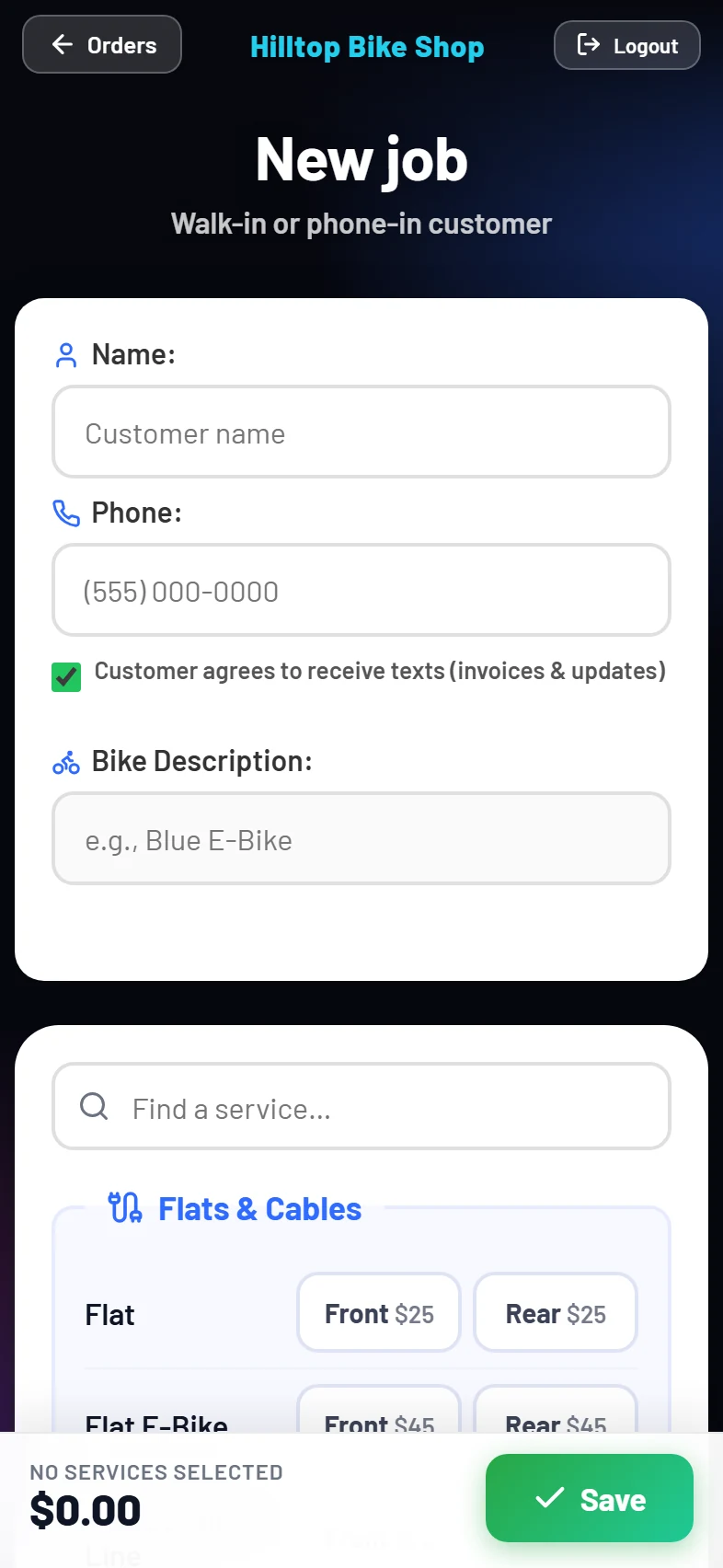
Tick what you did. The total is right.
Your menu, grouped the way your shop thinks about it. Front or rear, per-spoke pricing, custom one-off lines, notes. The total shows before and after your tax rate as you go. Save, and the invoice goes out.
- Opens instantly: the price list is remembered on the phone
- Untick "text the invoice" to save a job quietly
- Edit any past job; it keeps the prices it was charged
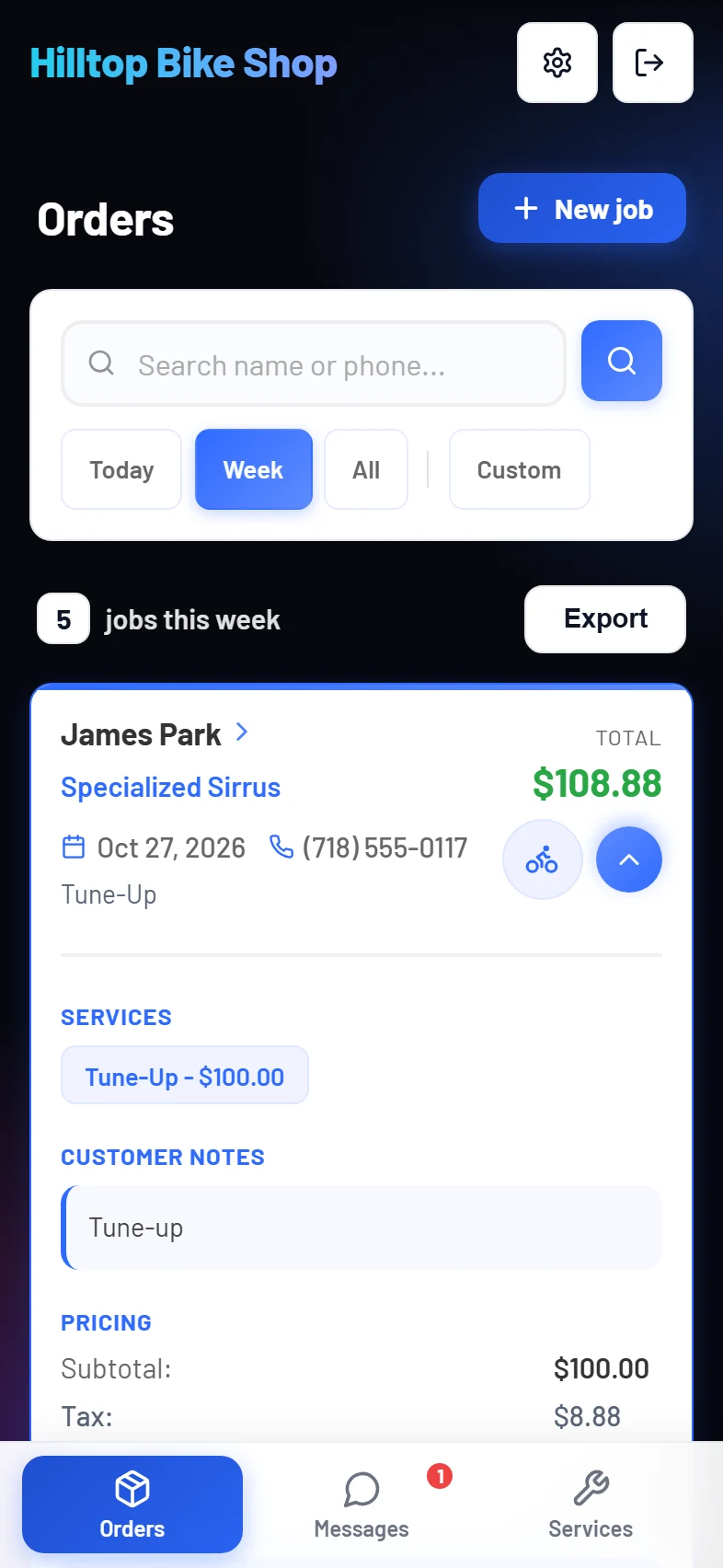
Today, this week, or everything. One tap each.
Every job as a card: who, which bike, when, how much. Open one for the line items and the tax, text the customer, or edit it. Search by name or phone finds a customer in a keystroke, and their profile shows every job they've ever had with you.
- "Ready for pickup" is two taps from the card
- Fix a customer's name or number without losing their history
- Export any view as a spreadsheet
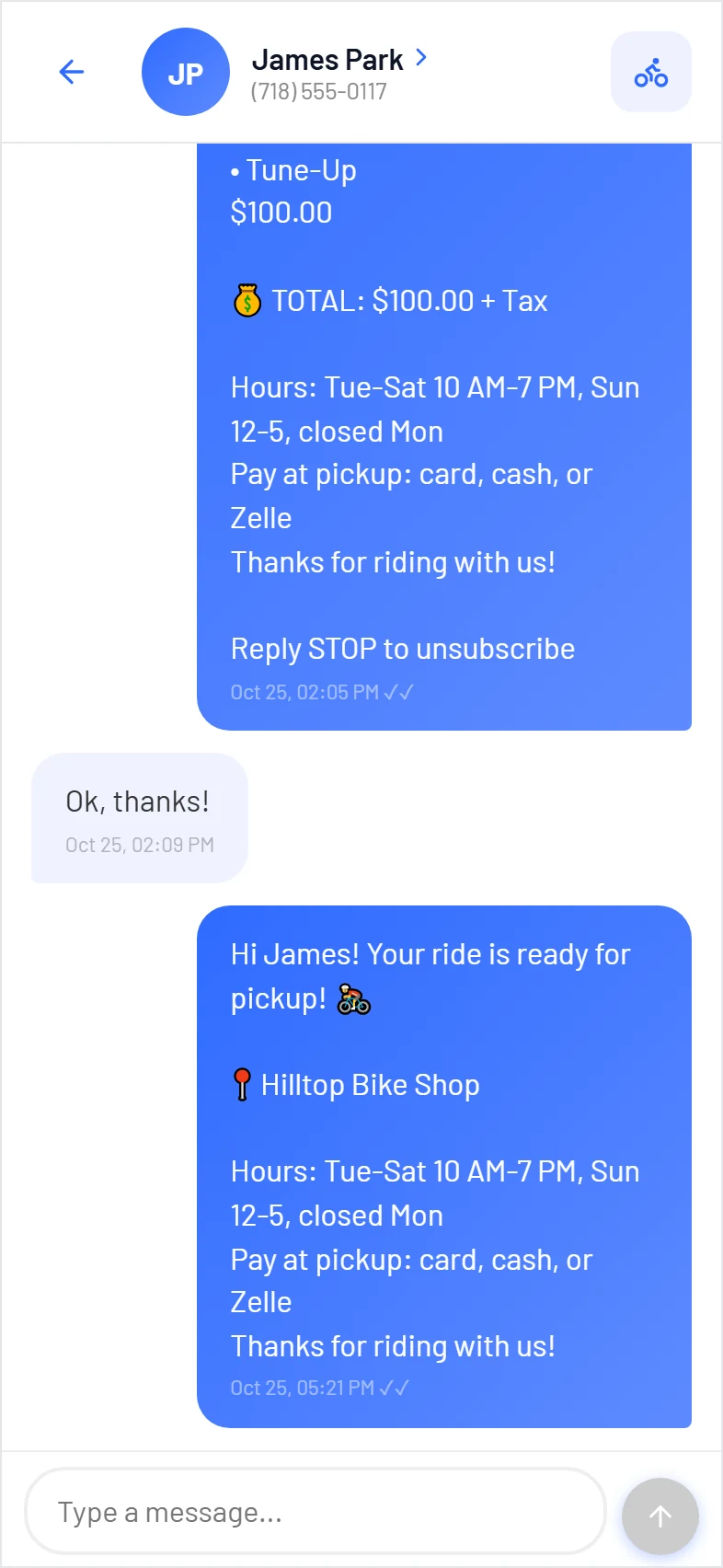
Every customer, one thread, from the shop's number.
The invoice, their reply, the pickup text, all in one place that any staff member can see. Sent, delivered and failed are marked on each message. A customer who texts STOP is locked out of every send automatically, and the app tells you why.
- A notification when a reply lands, on the phone with the app open
- Broadcast a message to everyone who opted in, with the cost shown first
- Your hours and payment options in every invoice footer
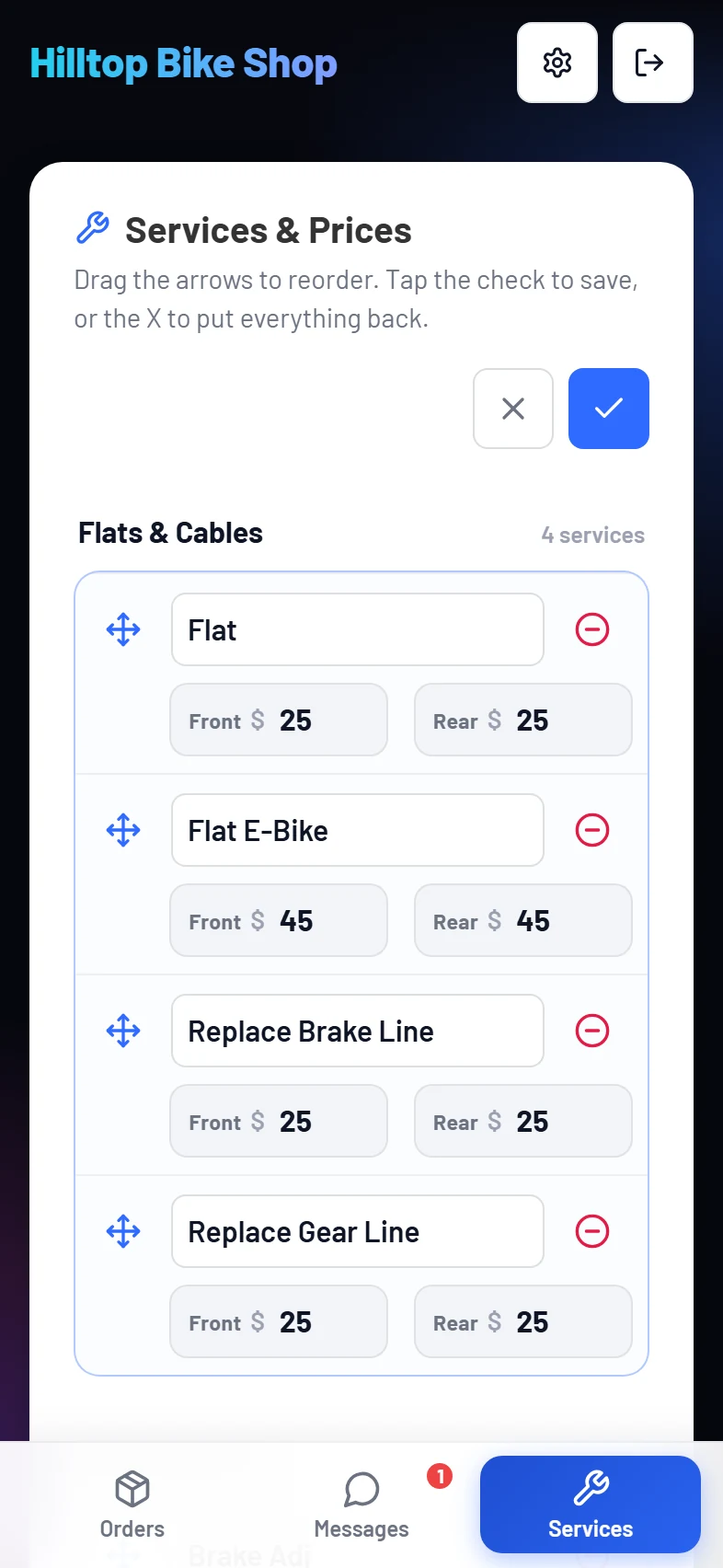
Your price list, editable on the phone.
Reads like a printed price list. Tap the pencil to change names and prices, drag services into the order you want, move one to another section, or remove it. Nothing is saved until you tap the check, and the X puts everything back.
- Front & rear pairs, per-unit pricing, and a custom-price line
- A service on past jobs is kept under "Removed from the menu," never deleted
- Changes reach the New job screen immediately
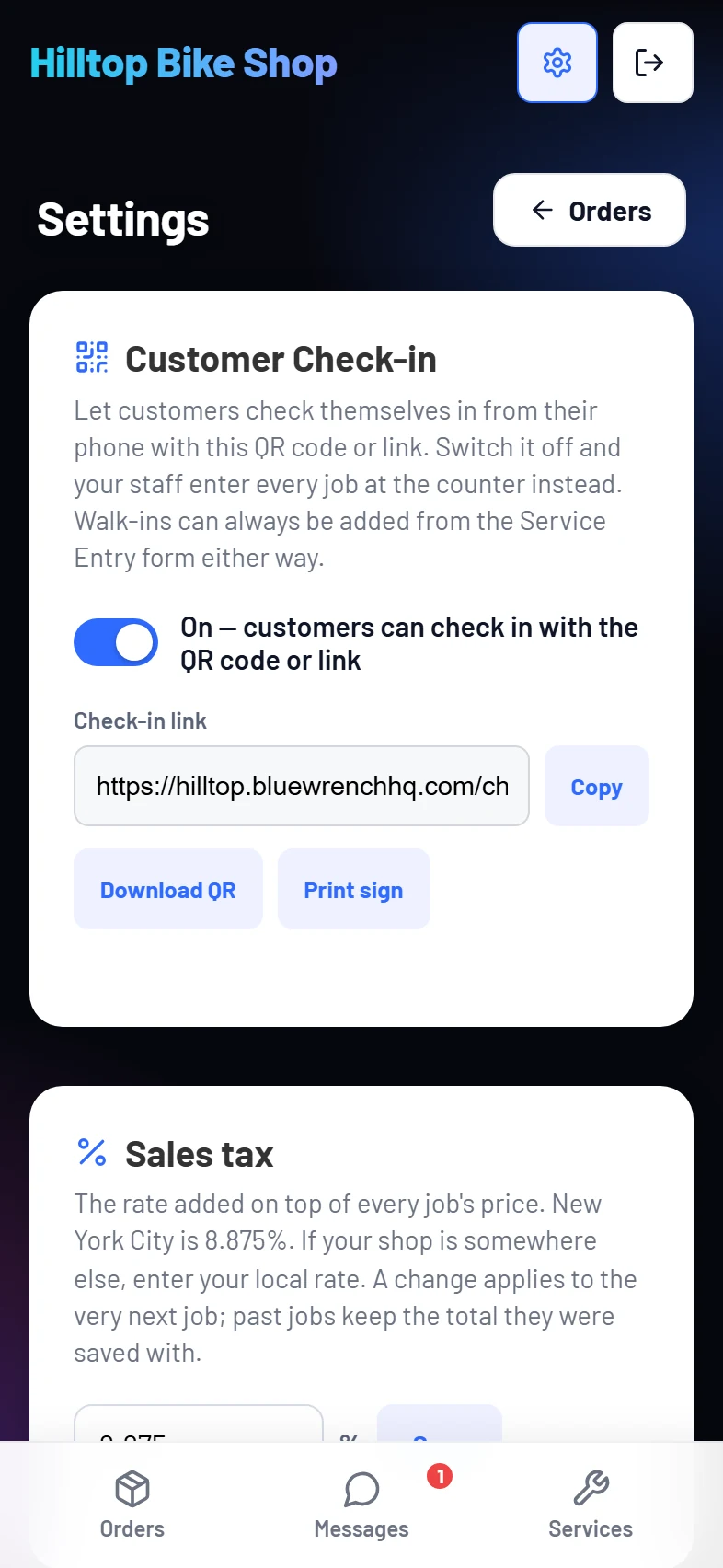
The few knobs a shop needs, and none it doesn't.
The check-in switch and sign, your sales tax rate, the spreadsheet export of everything the shop has, and the password. That's the whole page.
- Customers, jobs with every line, and messages as CSV, any time
- One tax rate per shop; a change applies to the next job
- Coming next: Insights, the week's revenue and top services at a glance
What day one looks like.
A setup call, not a project.
- Before the call
- Send us your service list with prices (a photo of the board is fine), your sales tax rate, your hours, and how customers pay. That's all we need.
- On the call, about 30 minutes
- We load your menu while you watch, set your tax rate and invoice footer, and put the app on your phone's home screen. You log a test job and the invoice lands on your own phone.
- The same day
- Print the check-in sign for the counter. Staff add the home-screen icon. You're logging jobs through it that afternoon. Texting switches on the day the carriers approve your number; until then invoices are saved and ready, just not sent.
- One to two weeks later
- US carriers require every business to register before it can text from its own local number. We file it for you; you give us your legal business name, address and EIN. When it's approved, your number switches on and every text comes from it.
- Your data
- It's yours. Download everything as spreadsheets whenever you like. If you ever leave, you get a 30-day export window and then it's deleted.
- What it runs on
- Any phone or computer with a browser. There is no app store, nothing to update, and it works the same at the counter as in the back.
See it on your own service menu.
Setup is a call: we load your services and prices with you, usually the same day.